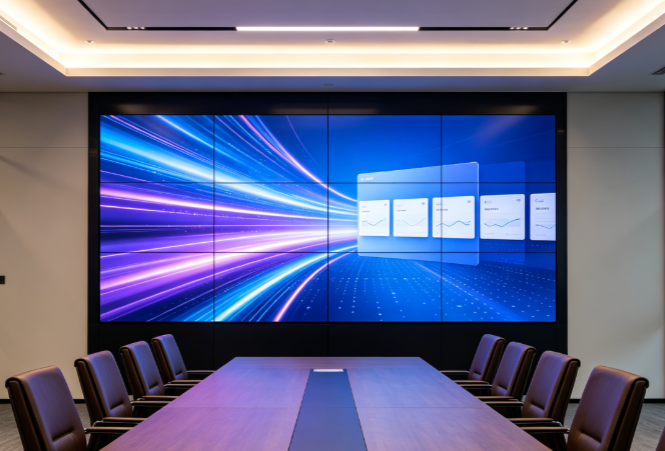
Auditoriums host conferences, training, and result announcements, so display stability directly affects events. Buyers often focus on size and price while overlooking installation and pre-wiring, the key factors behind user experience. Most rework and failures stem from inadequate site surveys, poor cable planning, and installation methods unsuited to the venue, not from the panels themselves. Drawing on Stonbel's project experience in universities, finance, airports, and industrial parks, this article outlines key installation and wiring issues for auditorium LCD video walls, helping integrators and end users make sound selection and construction decisions and reduce rework and O&M risks.

Common Industry Misconceptions
Several misconceptions recur in lecture hall LCD video wall projects. First, the belief that a video wall works once mounted, ignoring prior confirmation of wall load capacity, power capacity and service space, which forces plan changes during installation and causes schedule and cost overruns. Second, treating cabling as an afterthought, mixing power and signal cables in one conduit, only tracing causes when interference stripes appear. Third, comparing only bezel
Correct Understanding
The correct view: installation and pre-cabling for lecture hall LCD video walls are hidden engineering that decides project success and should be decided together with screen selection. First, installation method depends on site conditions, not preference; wall mount, floor cabinet or recessed wall must be based on wall structure, load capacity and service space. Second, cabling is the foundation of signal integrity; separation of power and signal, cable

Selection Advice
At selection, put installation and cabling into one evaluation table. First confirm site survey conclusions: whether the wall suits wall mounting, whether a floor cabinet is needed, whether power has a dedicated circuit, whether signal source locations and cable routes avoid fire pipes and power interference, and whether rear service and heat dissipation space exist. Second define the signal transmission plan: HDMI, DVI or
Site Survey Before Installation
Five surveys should be completed before installation. First, wall structure and load capacity, to confirm wall mounting suitability or need for a floor cabinet, avoiding forced plan changes. Second, power capacity and distribution box location, ensuring a dedicated circuit and avoiding voltage fluctuation from sharing with high-power equipment. Third, signal source locations and cable routes, avoiding fire pipes and power interference and shortening unnecessary runs. Fourth, rear service space and heat dissipation conditions, leaving
Pre-Cabling Key Points
Four points matter in pre-cabling. First, separate power and signal routing; keep signal cables away from strong electromagnetic sources and give power lines a dedicated circuit, not shared with high-power equipment. Second, assess transmission distance; HDMI, DVI or network cable distances are limited, so long runs need attenuation assessment and repeater plans. Third, reserve redundancy for control and commissioning lines and
Choosing Bezel Width
Bezel width should match viewing distance. At close range bezels affect picture integrity more visibly; at distance visual interference weakens. Users should weigh bezel spec and budget by the distance from the podium to the screen and the main viewing area, not blindly pursue ultra-narrow bezels. Also check brightness, color gamut and refresh rate; reference LCD display data of NTSC ≥120% and IP65 can serve as a parameter reference. For halls
Post-Installation Maintenance
Three routine maintenance items should be established after installation. First, periodic brightness and color temperature calibration; LCD panels degrade in brightness, and color shift may appear between units after long use, which calibration restores. Second, check heat dissipation channels for blockage, avoiding dust buildup; shorten inspection cycles for frequently used halls. Third, confirm cable interfaces are not loose, especially in frequently plugged or vibrating environments. Reserving commissioning network ports
Q1: What site surveys are needed before installing a lecture hall LCD video wall?
A: Before installation, survey wall structure and load capacity to confirm wall mounting suitability or need for a floor cabinet; measure power capacity and distribution box location for a dedicated circuit; confirm signal source locations and cable routes avoiding fire pipes and power interference; check rear service space and heat dissipation; and assess scene-specific requirements such as low-dust craft for clean areas and remote centralized management for transport hubs. The Wuhan University stepped classroom 3×3 video wall project
Q2: What should be noted in pre-cabling for a lecture hall LCD video wall?
A: Separate power and signal routing and keep signal cables away from strong electromagnetic sources; HDMI, DVI or network cable distances are limited, so long runs need attenuation assessment and repeaters; give power lines a dedicated circuit, not shared with high-power equipment; reserve redundancy for control and commissioning lines and expansion space in trays and cabinets; unify interface standards and cable planning
Q3: How to choose bezel width for a lecture hall LCD video wall?
A: Bezel width should match viewing distance. At close range bezels affect picture integrity more visibly; at distance visual interference weakens. Weigh bezel spec and budget by the distance from the podium to the screen and the main viewing area, not blindly pursue ultra-narrow bezels. Also check brightness, color gamut and refresh rate; reference LCD display data of NTSC ≥120% and IP65 can serve as a parameter reference. For
Q4: What maintenance is needed after installing a lecture hall LCD video wall?
A: After installation, periodically calibrate brightness and color temperature, since LCD panels degrade in brightness and color shift may appear between units after long use; check heat dissipation channels for blockage from dust; and confirm cable interfaces are not loose. Reserving commissioning network ports and control room positions during cabling makes calibration and maintenance more efficient. Stonbel
Q5: Why emphasize front-loaded installation and cabling planning for lecture hall LCD video wall projects?
A: Because most rework and failures in video wall projects stem not from the screens but from inadequate survey, unreasonable cable planning and installation craft mismatched to the scene. Front-loading installation and cabling into selection exposes risks such as wall load, power capacity, signal attenuation and service space early, avoiding forced plan changes during installation.
Installation and pre-wiring are the hidden engineering that determines project success. Site survey, wall load confirmation, separated power and signal routing, spare signal cable, brightness and color temperature calibration after installation, and O&M access all need consideration at the selection stage. Stonbel, a source manufacturer of LED/LCD displays with 3C, CE, FCC, ISO9001, ISO14001, and ROHS certifications and service points in 31 provinces, supports auditorium LCD video wall projects from survey and wiring guidance to installation and commissioning. Investing time in planning at the selection stage keeps the display system stable over the long term.