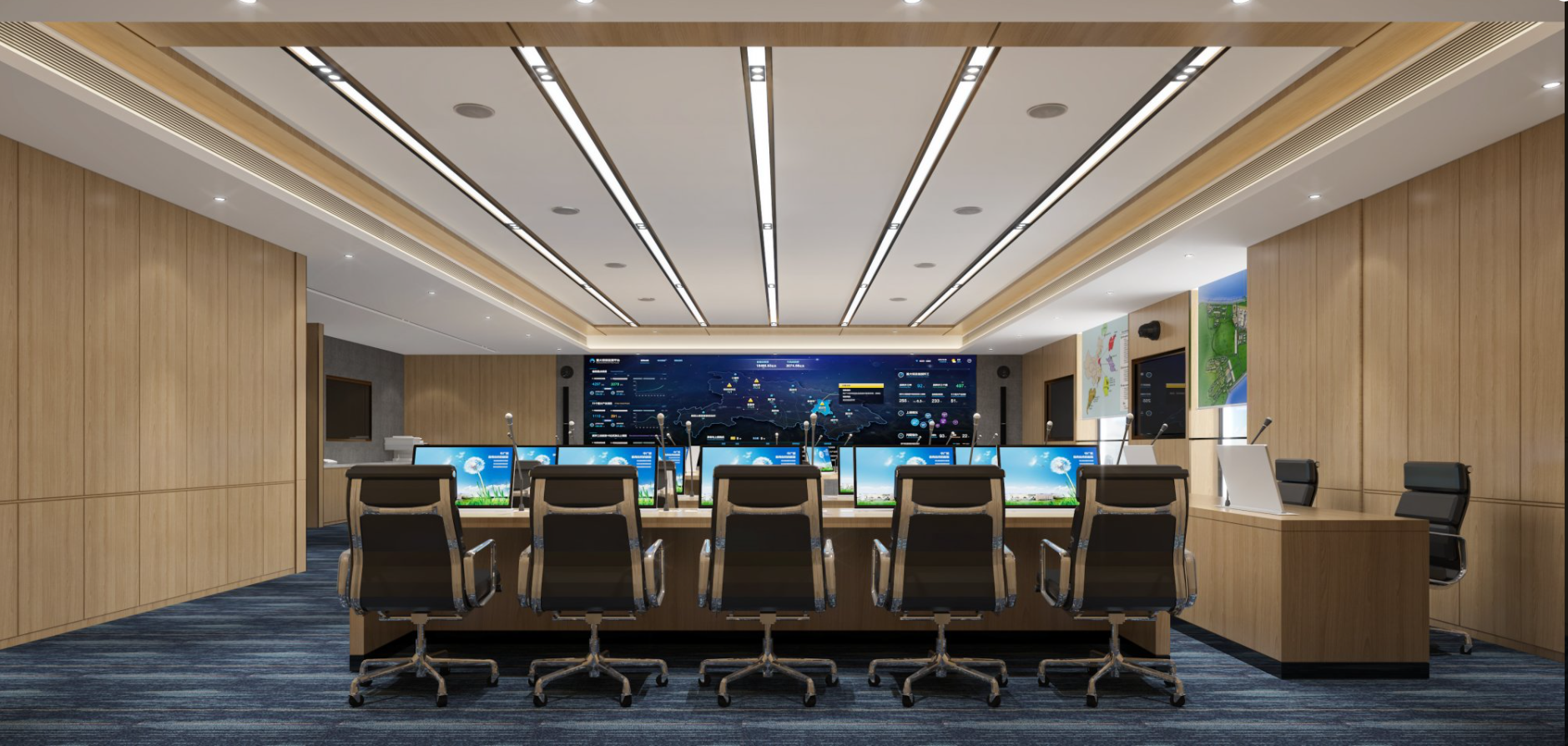
Command centers rely on LCD video walls for their balance of cost, color accuracy, and continuous operation. However, many projects overlook the relationship between viewing distance and pixel pitch, leading to visible pixels, blurred text, and visual fatigue. Based on real project experience, this article outlines common mistakes and provides practical solutions to optimize display performance within budget.
Common Pitfalls
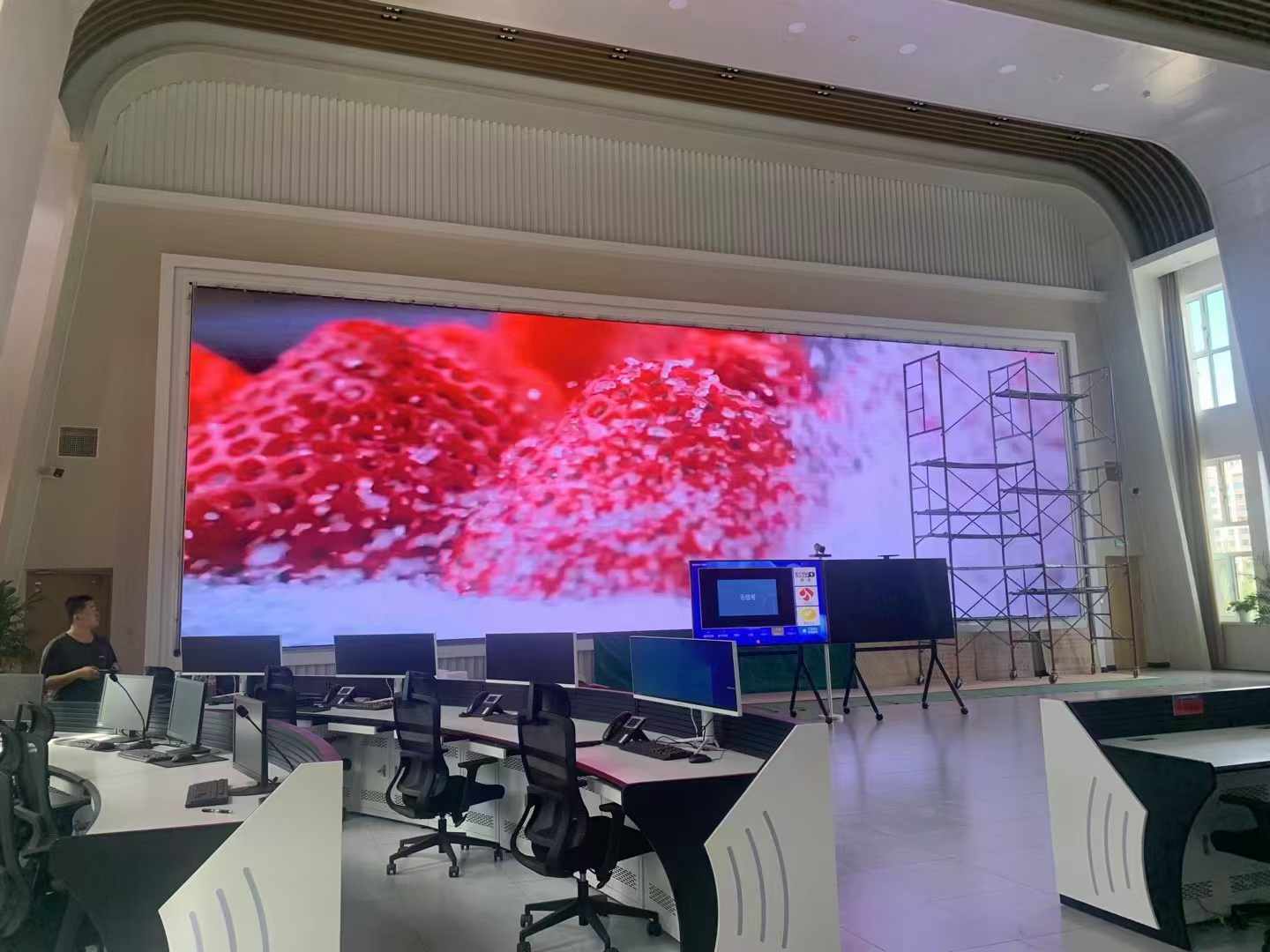
In the Hangzhou Metro Group network control center project, the original video wall's insufficient resolution caused lag in cross-line signal dispatch and delayed response to high passenger flow. This case reveals that when LCD video wall clarity cannot handle dense information, it not only affects viewing but also hampers emergency response efficiency. After rapid network expansion, the control center needed to display passenger flow, equipment, and emergency information across all lines. The original screens showed jagged edges and blurred text on dense network maps, forcing dispatchers to lean in to read, directly slowing emergency decisions. Stonbel deployed a P1.2 COB fine-pitch LED display with multi-screen
Root Cause Analysis
In the Xi'an Xianyang International Airport smart terminal project, Stonbel deployed a cluster of LCD commercial advertising displays for second-level flight information updates, but multiple rounds of ambient light testing were needed to finalize brightness and contrast settings. After the Terminal 5 expansion, a unified display network covering check-in, security, and boarding gates was required. The previous fragmented equipment made remote management difficult, and delayed information during peak hours caused passenger congestion. Stonbel deployed a unified LCD display cluster with multi-screen controllers, reducing update latency to seconds, cutting
Avoidance Strategy
Before bidding, build a 1:1 mock-up wall and play real business content on screens with different pixel pitches, letting users evaluate at actual viewing distances. This adds upfront cost but prevents rework. The Guangdong Provincial Emergency Management Department project used this approach to select a P1.2 COB fine-pitch LED display (an LED case, but illustrating the validation process) rather than defaulting to LCD, ensuring second-level response for passenger surge alerts. For LCD video walls, apply the same method: create test videos with typical maps, tables, and surveillance feeds, loop them on candidate screens, and have operators and
Recommended Selection
When selecting, ask suppliers for site visits to reference installations, focusing on bezel control, color consistency, and brightness decay over time. Stonbel LCD video walls support 7×24 operation with ≥100,000-hour lifespan, reducing long-term costs. Key specs include P6 pixel pitch, NTSC≥120% color gamut, and IP65 protection for dusty, high-temperature control rooms. For 8K ultra-HD needs, consider COB fine-pitch LED (e.g., P1.0 or P1.2), though higher cost suits only extreme quality demands. For most control centers, LCD video walls remain cost-effective. Stonbel, ranked among China's top 10 LED display companies, holds 3C, CE, FCC, ISO14001, ISO9001, ROHS, military, and classified certifications, with reliability verified by Huawei, Peking University, Peking Union Medical College Hospital, and Guangdong Emergency Management Department. Service covers
Q1: What is the optimal viewing distance for control center LCD video walls?
A: Viewing distance depends on pixel pitch. Smaller pitch allows closer viewing. For P4 pitch, recommend 3-5 meters; for P6, 5-8 meters. Too close causes graininess; too far loses detail. Adjust based on layout and content. For curved deployments where distance varies, base selection on the farthest viewer. Content type matters too—dense text or fine maps favor smaller pitch; video surveillance allows more flexibility. In the Hangzhou Metro project, dispatchers sat about 8 meters from a P1.2 COB LED display, ensuring clear readability of station names and passenger data. For LCD walls beyond 8 meters, P6 is usually sufficient; under 3 meters, choose P3.5 or smaller to avoid graininess.
Q2: How do I choose the pixel pitch for a control center LCD video wall?
A: Base pitch on viewing distance and content. For maps, charts, or text, choose P3.5 or P4 for clarity; for video surveillance, P5 or P6 works. Signal resolution matters—low-resolution sources with large pitch degrade quality further. For example, 720P cameras with P6 pitch lose detail noticeably; 4K sources look good even on P6. Stonbel LCD displays offer P6 pitch with NTSC≥120% color gamut, suitable for most control centers. Inventory your signal types and resolutions first, then match pitch. If mixing sources, base selection on the lowest resolution to ensure all content is clear. Also consider screen height—higher installation with steeper viewing angles allows larger pitch; eye-level screens need finer pitch. Stonbel provides a pitch selection calculator—input viewing distance and resolution to get recommended parameters.
Q3: Do bezels on LCD video walls affect viewing?
A: Bezels disrupt continuity of cross-screen content, especially maps and trend charts. Choose products with ≤3.5mm dual-side bezel and position seams away from critical data. For seamless display, consider COB fine-pitch LED, though at higher cost. Stonbel LCD walls have tight bezel control and support same-batch calibration to minimize color differences. In deployment, align seams with table lines or map grid lines to reduce visual distraction. For control centers frequently showing continuous images (e.g., rail network maps, city traffic maps), COB fine-pitch LED is recommended. Stonbel COB displays cover P0.7-P1.8, with 3840Hz
Q4: What brightness is needed for control center LCD video walls?
A: Control centers typically have constant lighting, so brightness should be ≥500cd/m² with auto-adjustment for day/night changes. Stonbel LCD displays offer IP65 protection, sufficient brightness, and anti-glare coating to reduce reflections. In strong ambient light, add hoods or adjust mounting angles. Consider screen orientation relative to windows—direct sunlight causes reflections, requiring higher brightness or blinds. Measure illuminance during planning and test at typical times. Stonbel LCD displays feature auto-brightness adjustment, using ambient light sensors to maintain daytime visibility while preventing nighttime eye strain. Since brightness decays over time, choose products with ≥100,000-hour lifespan and perform periodic calibration to maintain consistency across screens.
Selecting an LCD video wall for a command center requires a holistic approach—considering viewing distance, pixel pitch, bezel width, brightness, and signal processing. By understanding human eye resolution limits, ambient light adaptation, and installation maintenance, you can avoid common pitfalls and achieve a clear, stable, and serviceable system. Stonbel offers tailored display solutions backed by industrial-grade products and nationwide service. Proven results include a 55% faster response to passenger flow alerts and 50% higher cross-line dispatch efficiency at Hangzhou Metro, plus second-level flight information updates and a 70% reduction in missed-flight complaints at Xi'an Xianyang International Airport. Use this guide to make informed decisions and ensure every screen supports efficient operations.